Aplikace a připojení:
Enjox Remote
Hračky:
Kite Yami BoomPro

Pro Android:

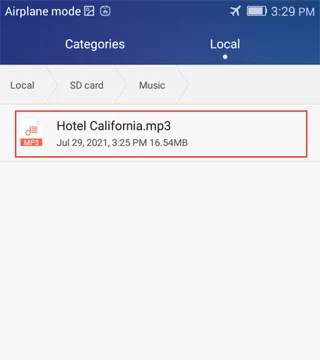
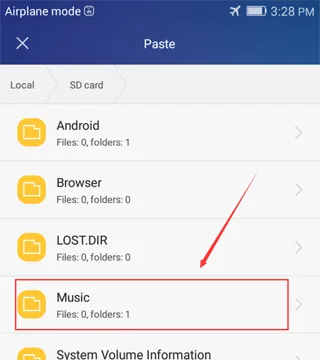
Stáhnutou hudbu ulož do složky „Music“ v interní paměti telefonu.
![Syncing music to an Enjox toy on Android (step 1)](/article/images/d37d58216d7d242ee12d2b373bfe5855.webp) ![Syncing music to an Enjox toy on Android (step 2)](/article/images/3ed45b66d0937d9246761bb98e724718.webp)

Hudba v této složce se objeví v aplikaci:
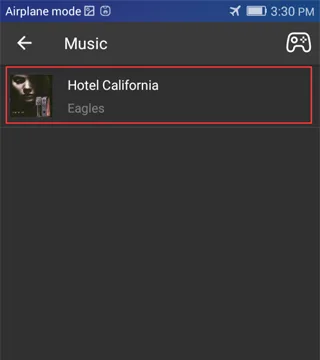
![Synced music folder shown in the Enjox Remote app on Android (step 3)](/article/images/73f55595ab971fe76a323660eedb864e.webp)

Pro iPhone:

  1. Přihlas se do iTunes a připoj svůj telefon.
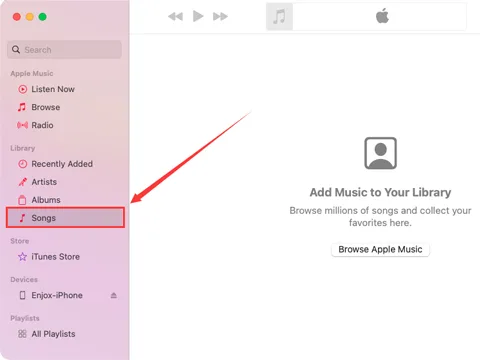
![Connecting an iPhone to iTunes to sync music (step 1)](/article/images/daa25b3168ed432c7a68fd39edb94b8a.webp)
  1. Přetáhni veškerou svou hudbu do složky „Songs“.
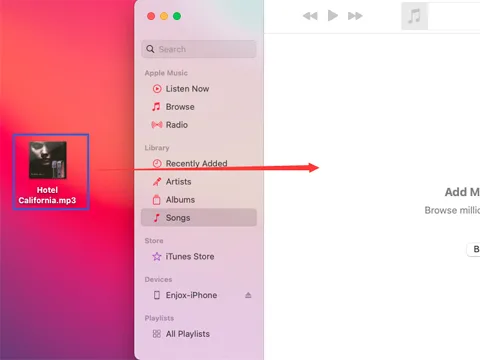
![Dragging music into the iTunes Songs folder (step 2)](/article/images/8103aea72e174712b70b43ffc4218a25.webp)
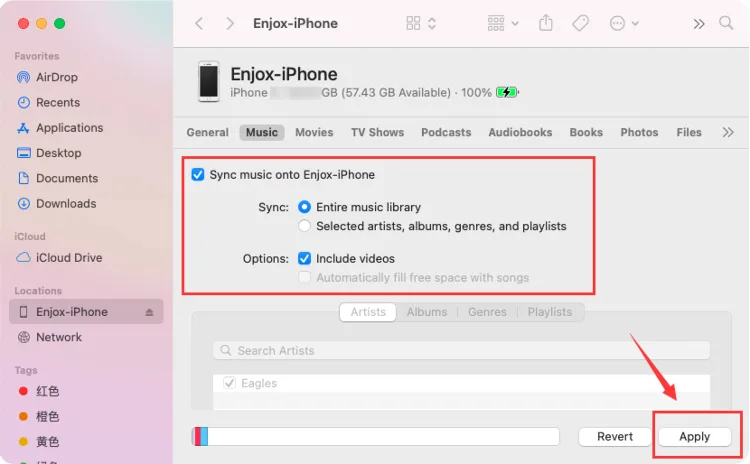
  1. Přejdi do sekce „Music“ a klepni na „Sync Music“. Tím se tvoje hudba synchronizuje s aplikací „Hudba“ v telefonu.
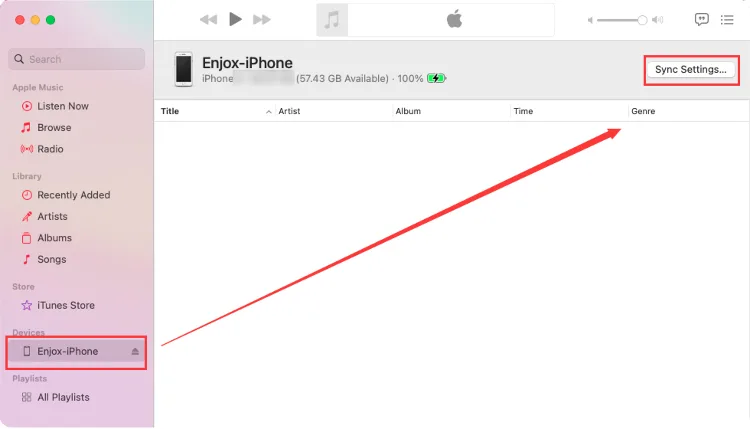
![Syncing music to an iPhone for Enjox (step 3)](/article/images/e2e67eb85e96d3f170a03df226ec5abe.webp) ![Syncing music to an iPhone for Enjox (step 4)](/article/images/dd74b96f8dd79afcd9300fa0c63054e5.webp)
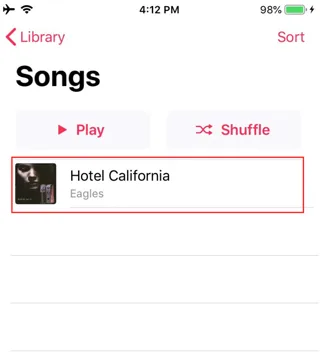
  1. Otevři v telefonu aplikaci Hudba. Uvidíš hudbu, která se synchronizovala z tvého účtu iTunes. Pokud je u skladby ikona stažení, klepni na ni (u skladeb, které se mají objevit v naší aplikaci).
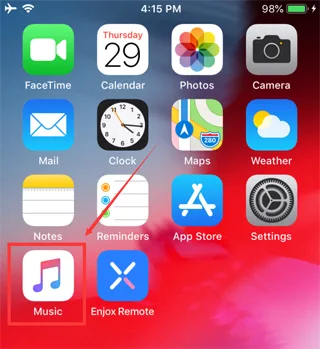
![Syncing music to an iPhone for Enjox (step 5)](/article/images/49839e37f86f10f42e40f0cb03e29330.webp) ![Syncing music to an iPhone for Enjox (step 6)](/article/images/3185419e8b532ce602f1f2d25bbe0e9a.webp)
  1. Otevři aplikaci Enjox Remote. Uvidíš hudbu, kterou sis stáhl.
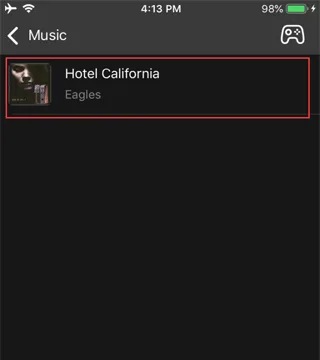
![Downloaded music shown in the Enjox Remote app on iPhone (step 7)](/article/images/215158fe048147ddd2c3460cba150439.webp)

Our site uses cookies. By continuing to use our site, you agree to the use of cookies. For more information about the use of cookies on our website, please see our Cookie Policy.